

Studio Photo for WordPress
25% off your first order: FIRST25
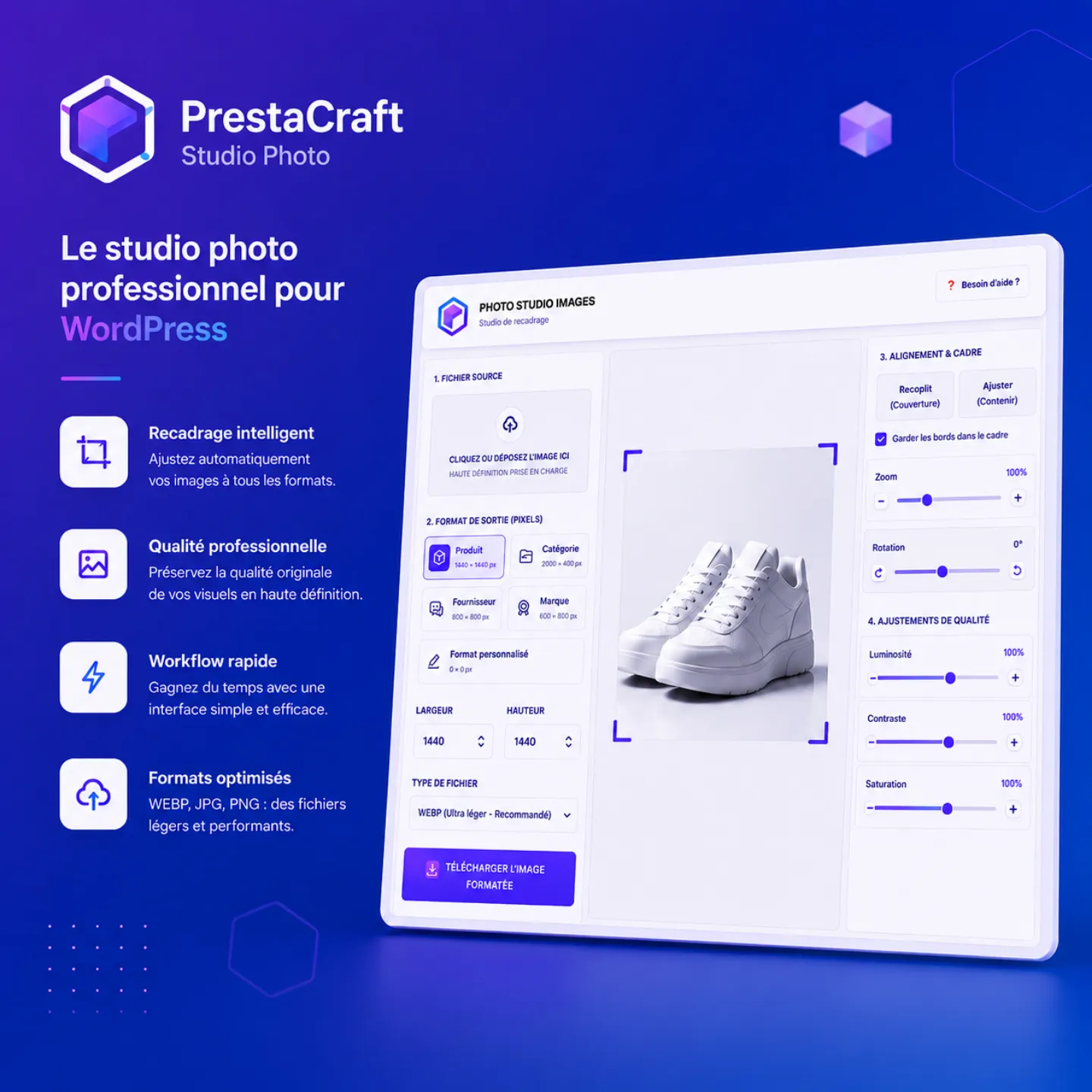
Studio Photo by PrestaCraft Studio is a tool designed to easily enhance and optimize all the images used on your WordPress website, blog posts, WooCommerce product pages, and social media content. Thanks to its simple and intuitive interface, you can crop, move, zoom, rotate, and adjust your visuals without using any external software.
The module automatically retrieves the image formats defined in your system (products, categories, banners, thumbnails, blog visuals, etc.) to generate perfectly optimized images for your WordPress theme or WooCommerce store. It also allows you to create custom formats to meet specific needs such as social media posts, sales pages, sliders, newsletters, and more.
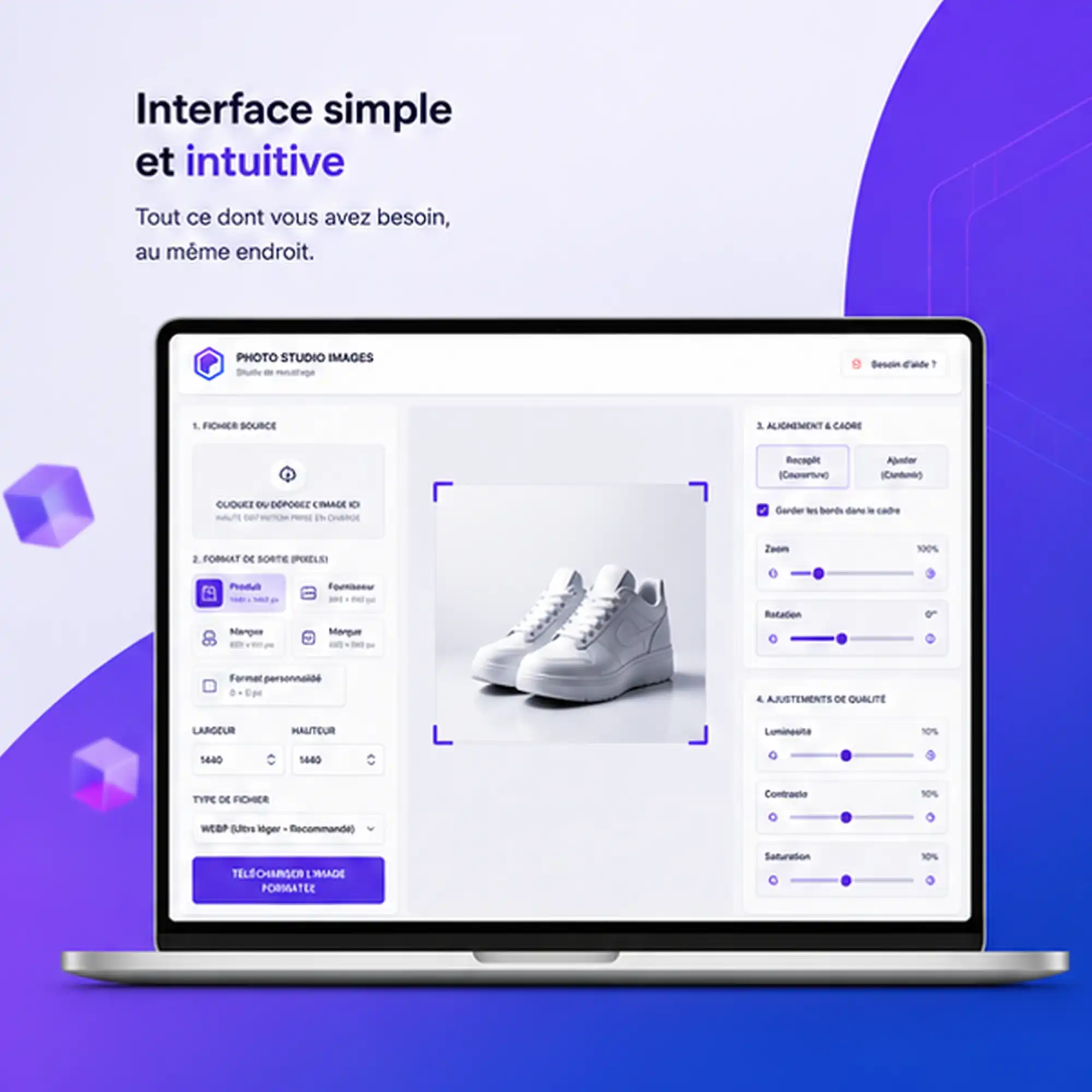
Studio Photo includes multiple display modes (Fill or Fit), brightness, contrast and saturation adjustments, as well as precise framing controls to achieve a professional result in just a few seconds.
Images can be exported in WEBP format, offering an excellent balance between quality and file size. This format significantly reduces image weight while maintaining sharpness, improving your WordPress site’s performance, speeding up page loading times, and boosting your SEO.
Fast, simple, and efficient, Studio Photo becomes a true graphic studio integrated into your WordPress workflow — ideal for e‑commerce merchants, content creators, and web professionals.
 Secure payment
 100% secure transactions
 Instant delivery
 Module available immediately after payment
 Support 7/7
 Technical support via our form
The description
Create professional visuals directly from your WordPress website
Images play a crucial role in the user experience of any WordPress website or WooCommerce store. They showcase your products, build visitor trust, and directly influence your commercial performance. However, preparing each visual in an editing software (Photoshop) can quickly become a long and repetitive task.
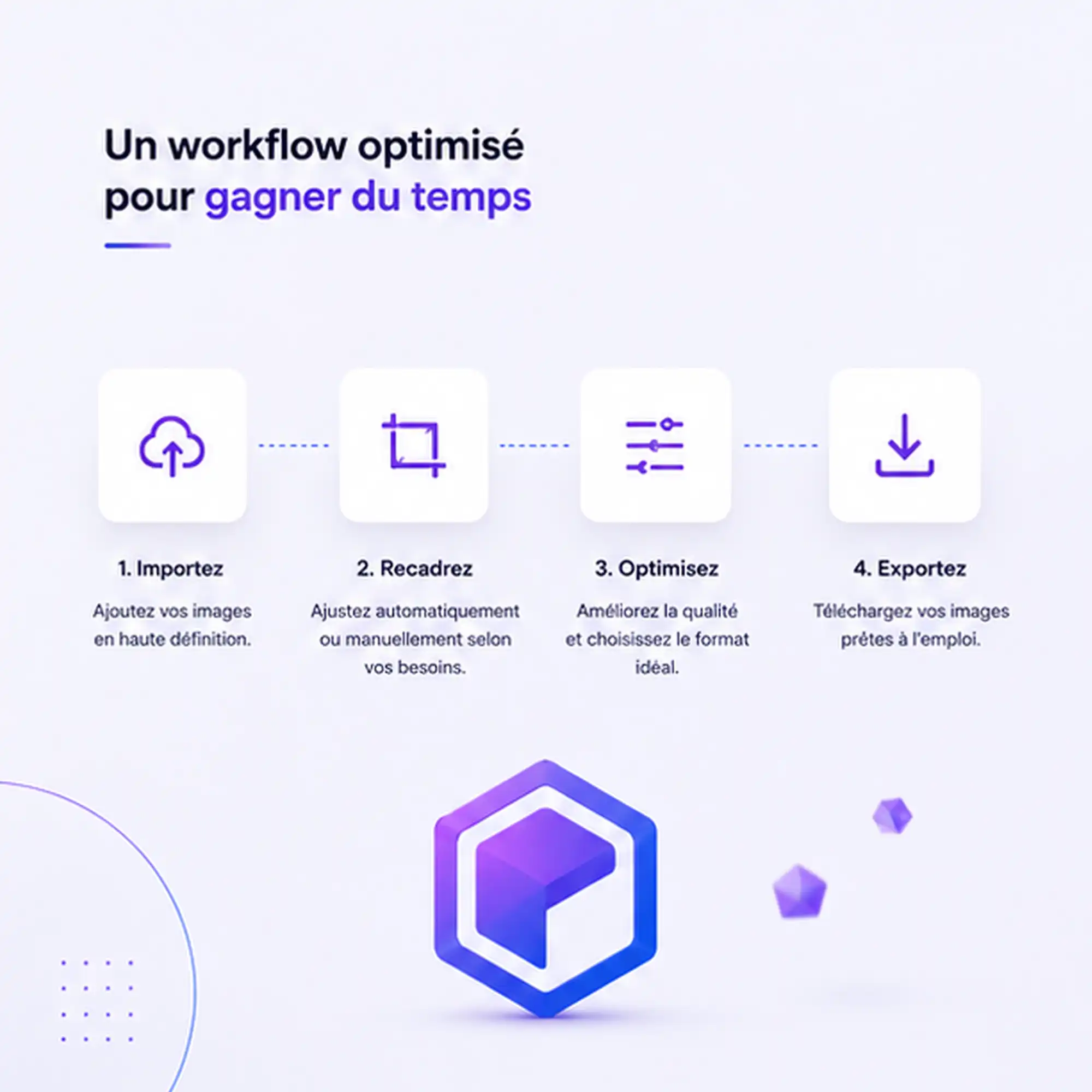
Studio Photo, developed by PrestaCraft Studio, completely simplifies this process. Integrated directly into your WordPress environment, it transforms your admin interface into a true graphic studio. Import an image, crop it, reposition it, adjust its rendering, and export it in the right format without leaving your site. No graphic design skills are required — everything is designed for fast and intuitive use.
Perfect integration with WordPress and WooCommerce image formats
Studio Photo automatically detects the image formats used by your WordPress or WooCommerce theme: product images, categories, banners, thumbnails, blog visuals, sliders, and more. The correct dimensions for each use are suggested in just a few clicks.
This automation prevents sizing errors, inaccurate cropping, and distortions that can harm your site’s appearance. Every image perfectly matches your theme’s requirements, ensuring consistent presentation across all your content.
For specific needs, Studio Photo also allows you to create custom formats — ideal for visuals intended for social media, marketplaces, advertising campaigns, or any platform requiring a particular size.
An interface designed for fast and efficient work
Studio Photo provides an interactive workspace directly inside your WordPress admin. As soon as you import an image, you gain access to all the tools needed to achieve a professional result.
Movement, zoom, rotation — each adjustment allows precise framing. All changes are displayed instantly, making image editing smooth and eliminating back‑and‑forth with external software.
Two display modes are available: Fill to occupy the entire format (ideal for product thumbnails), and Fit to preserve the full visual without cutting important elements. An additional option allows you to preserve borders for complete framing control.
Enhance your visuals in just a few seconds
A beautiful image is not only about framing. Studio Photo includes correction tools to quickly improve rendering: brightness, contrast, and saturation. Perfect for giving photos more impact, harmonizing product series, or correcting small imperfections.
All adjustments are applied in real time, allowing you to find the perfect balance without technical knowledge.
Optimized images for better WordPress performance
Beyond aesthetics, Studio Photo also improves your site’s performance. Exporting images in PNG, JPG, or WEBP format ensures lightweight files while maintaining excellent quality.
Lighter images speed up page loading, improve user experience, and strengthen your SEO. This optimization is essential to meet search engine requirements and offer smooth navigation on both desktop and mobile.
Save time every day
Manually preparing each image can quickly take hours. Studio Photo centralizes all essential tools in a single interface. Formats are detected automatically, adjustments are made in a few clicks, and images are immediately ready to use in WordPress or WooCommerce.
This centralization saves valuable time while ensuring consistent quality across all your visuals.
An essential tool for all WordPress creators
Whether you manage a blog, a WooCommerce store, or a professional website, Studio Photo quickly becomes indispensable. By combining cropping, visual adjustments, automatic format management, and optimized export in WEBP, JPG, or PNG, it simplifies image management while improving the overall appearance of your site.
With Studio Photo, you have a complete solution to quickly produce consistent, professional visuals perfectly adapted to your WordPress theme — while boosting your site’s performance and SEO.
Technical sheet
| CMS | WordPress |
|---|---|
| Compatibility | 6.0 7.0 |
| Language | English French |
| PHP | 7.0 |
| Category | Store Design |
Version history
- Ajouté version initiale - studio de recadrage/export d'images pour WordPress (formats Article, WooCommerce, Autre, Personnalisé), avec conversion automatique CMJN vers RVB
- Ajouté page de réglages « Formats par défaut » (Article, WooCommerce, Autre) et bouton d'enregistrement direct dans la médiathèque
- Amélioré espacements et alignement de l'interface, notification de confirmation plus discrète
- Corrigé débordement visuel du badge « inactif » sur la carte WooCommerce ; lien auteur incorrect
- Sécurité chargement des assets restreint à la page admin réelle, filtrage renforcé des données envoyées en AJAX
Product Reviews / Q&A
Average rating
- Reviews (0)
- All reviews (0)
- Has image/video (0)
- Excellent (0)
- Good (0)
- Medium (0)
- Poor (0)
- Terrible (0)
- Questions & Answers (0)
- Latest
- Latest
- Oldest
- High rating
- Low rating
- Helpful
- Latest
- Latest
- Oldest
- Helpful
There are no available reviews. Write your review.
There are no available questions. Ask your question.